Question 106 is one of the hardest maze challenges in the game because the road moves quickly and touching anything outside it costs you a life and restarts the maze. On some desktop versions, there is also a useful left-mouse-button shortcut that makes the challenge much easier.
Below, you’ll find both the normal way to complete Question 106 and the desktop shortcut.
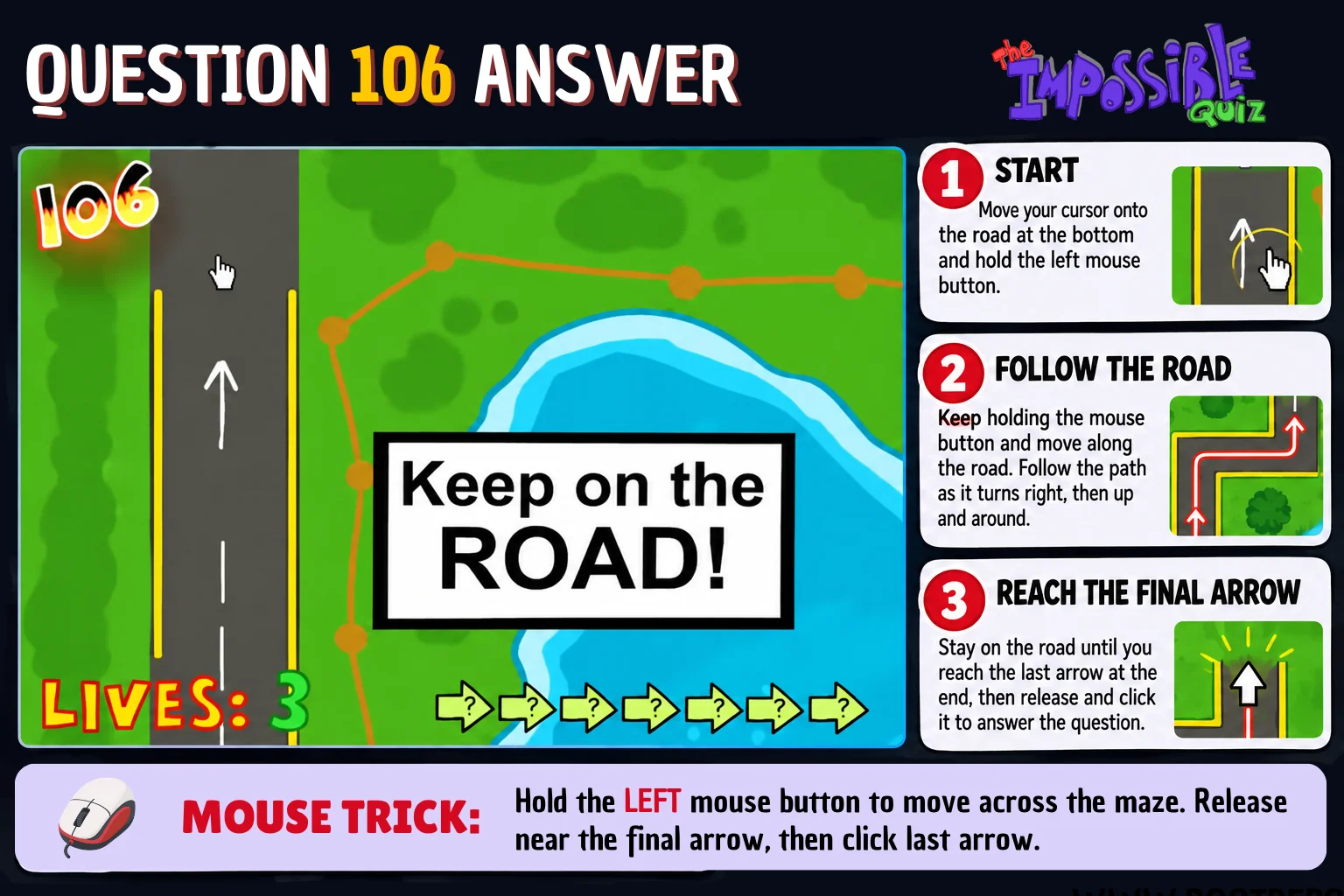
What Happens in Question 106?
Touching the grass, pond, or any area outside the road costs you a life and sends you back to the start of the maze. As you approach the end, the scrolling slows down and eventually stops. An arrow then appears at the dead end of the road.
How to Complete Question 106 Normally
- Place your cursor on the starting point to begin the maze.
- Keep your cursor on the road as the map starts scrolling.
- Follow the road carefully and avoid touching anything outside the pavement.
- Continue until the scrolling slows down and comes to a stop.
- Click the arrow that appears at the end of the road.
Desktop Mouse Shortcut
Before releasing the button, move back to a safe position on the road near the final arrow. Then release the button and click the arrow to continue.
Important: This shortcut is version-dependent. It should not be relied on for mobile or touch controls, and browser versions may behave differently.
Question 106 on Mobile
The mobile version is generally easier to control because the map scrolls more slowly, but lifting your finger or moving off the road can still cause you to fail.
Why Is Question 106 So Difficult?
This is why the desktop mouse shortcut became popular: completing the maze normally can be difficult, especially at the original scrolling speed.
More Impossible Quiz Answers
Looking for help with another question? See these detailed guides:
Need answers for the whole game? See the complete walkthrough covering all 110 questions: